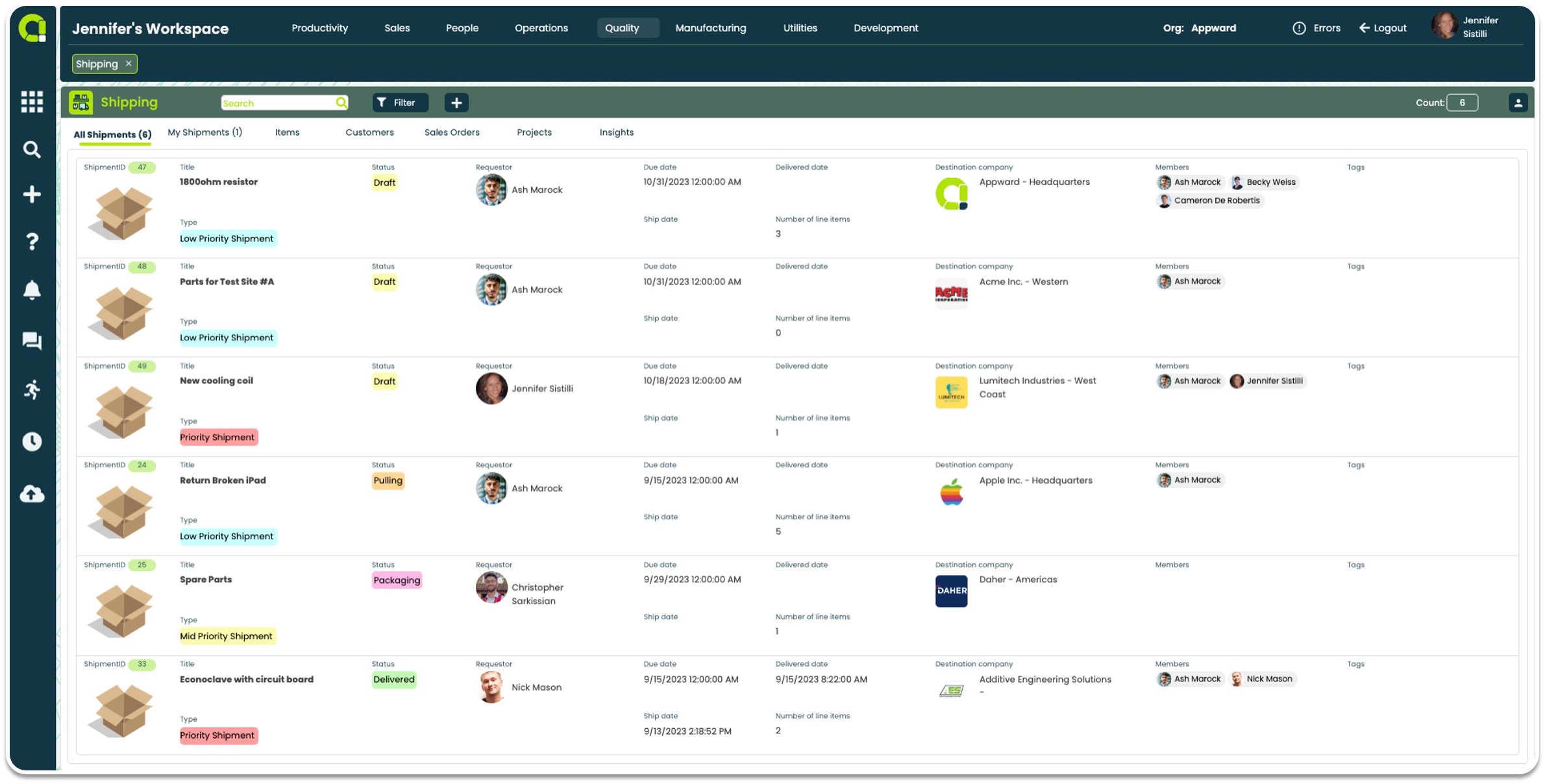
Efficiently and thoroughly manage all shipments
- Track all shipments, including those you’ve shipped, for comprehensive tracking details
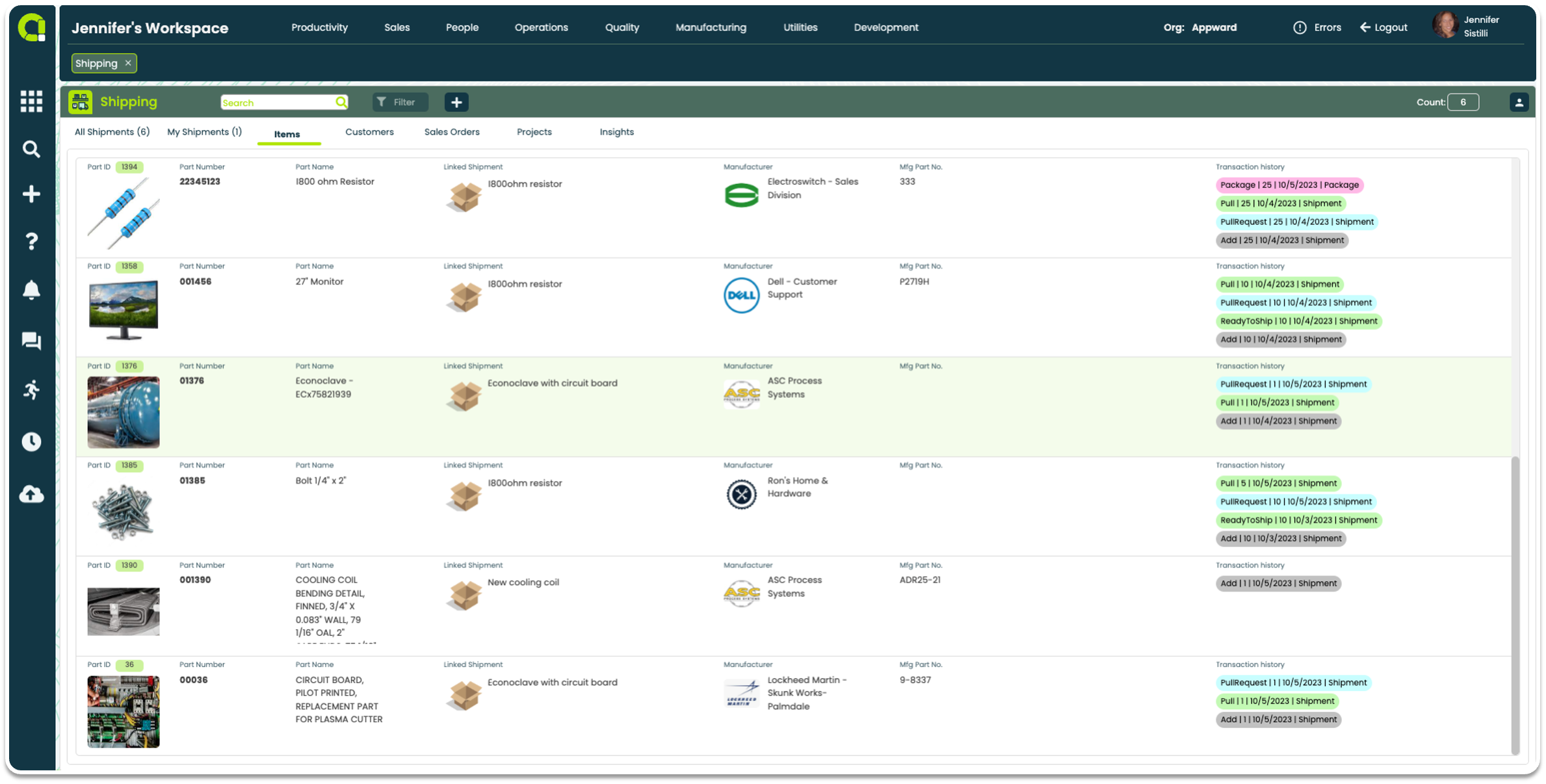
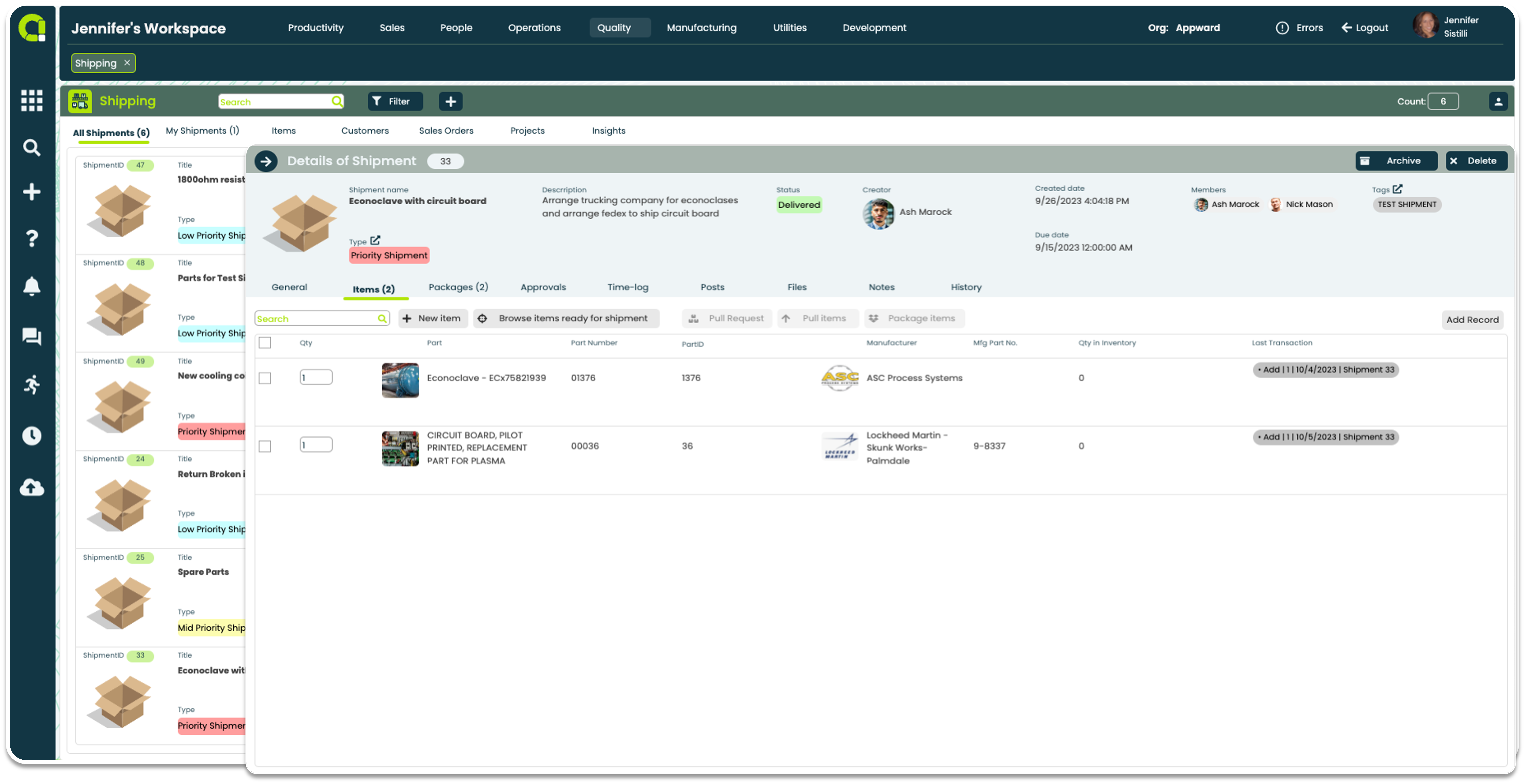
- Quickly check the status of items to ensure they are pulled, packaged, and shipped
- Access a list of shipments linked to specific companies for streamlined organization
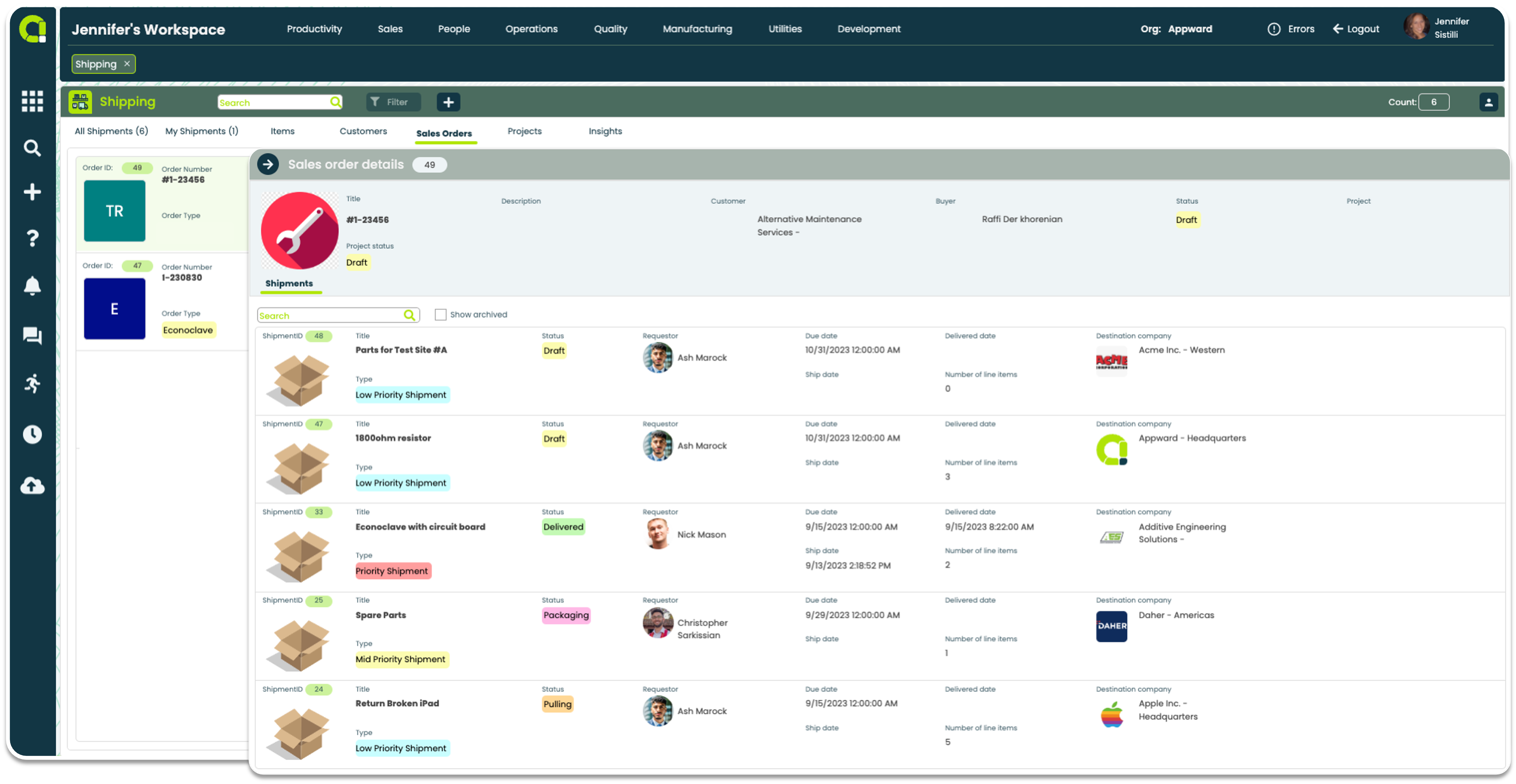
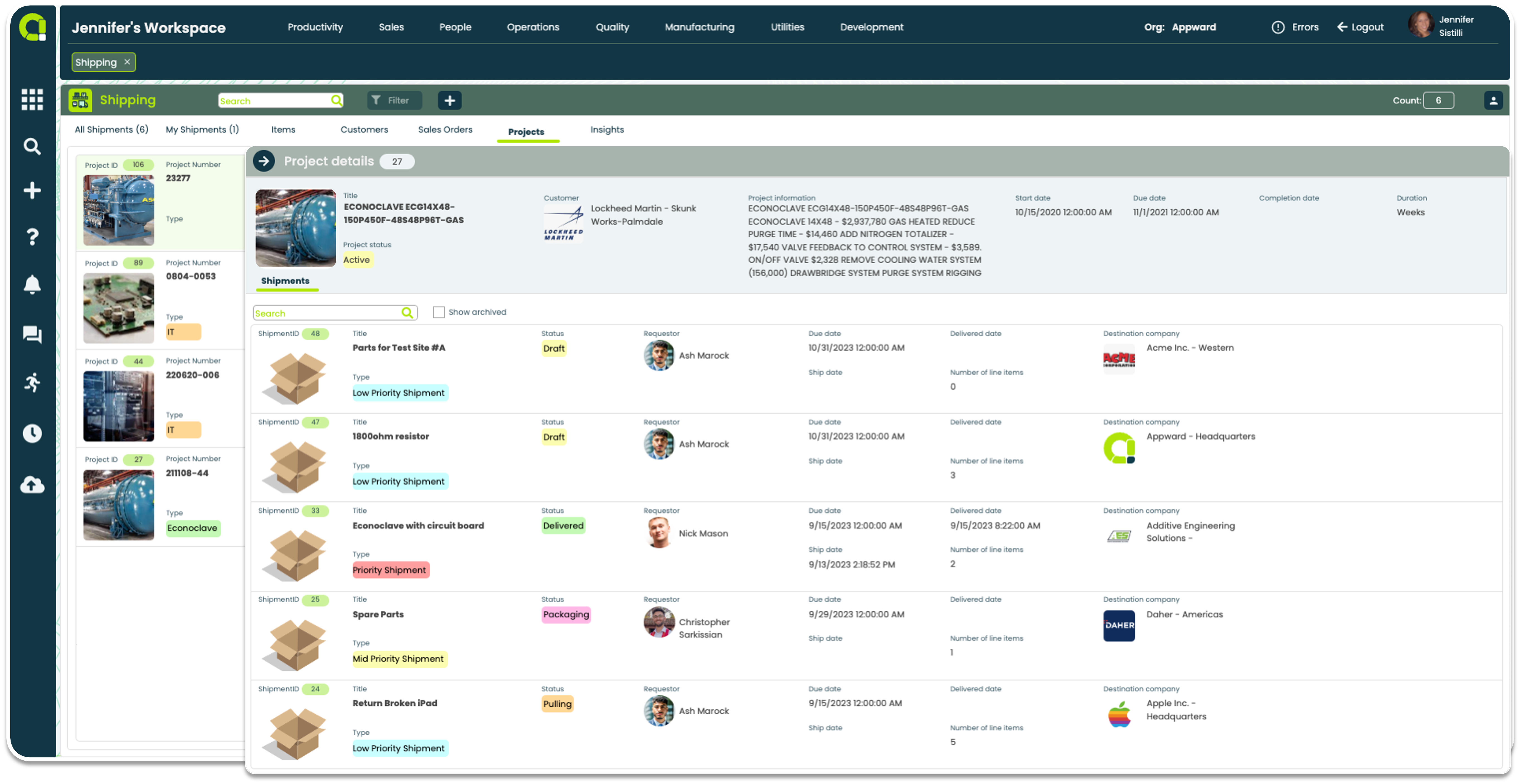
- Search through Sales Orders or Projects to quickly find a shipment
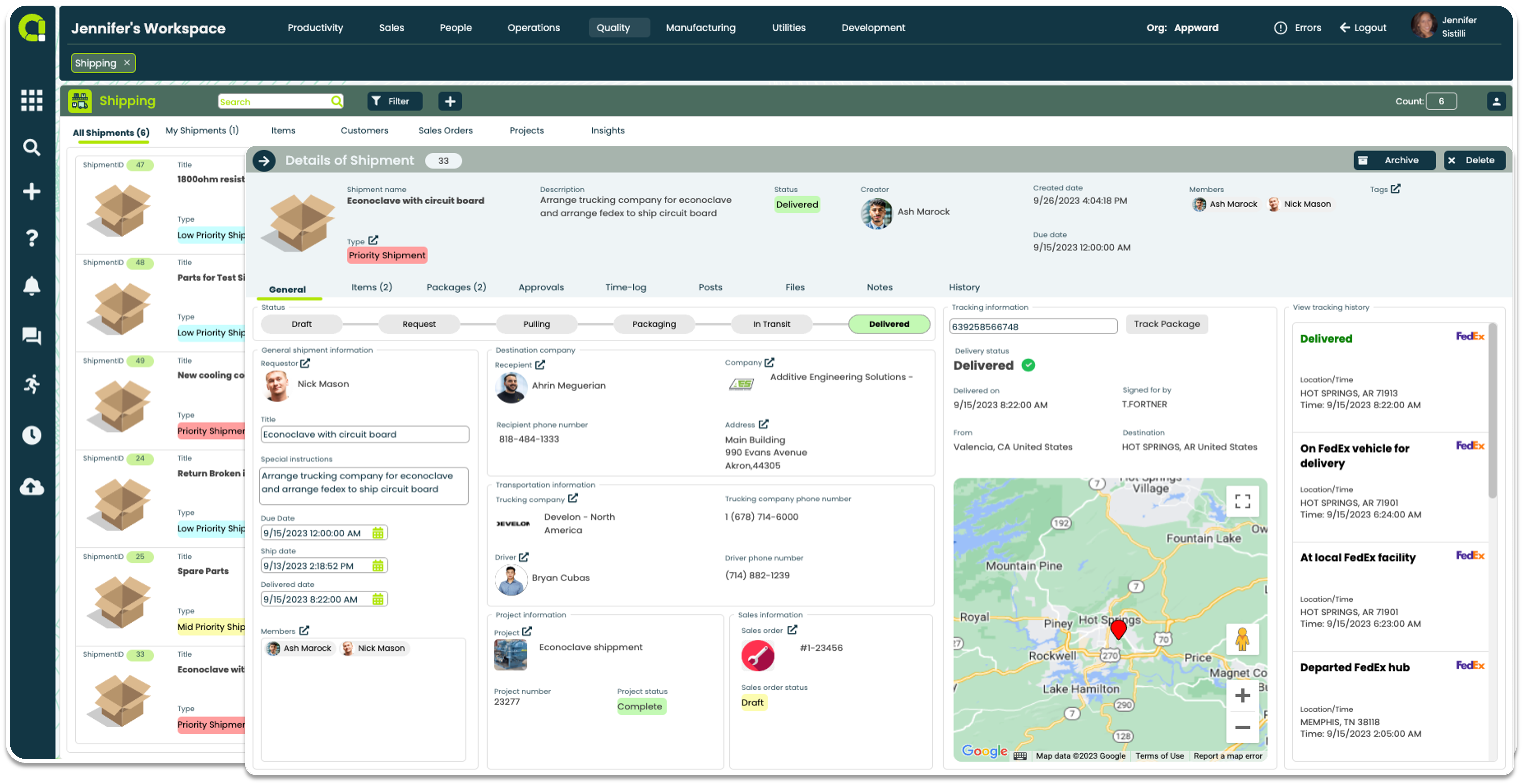
Quickly access all shipment logistics
- Consolidate all essential shipping information in one place
- Effortlessly identify requesters, recipients, and destinations
- Easily log trucking logistics with contact and driver information
- Link Sales Orders or Projects associated with each shipment for easy referencing
Advanced Shipment Tracking and Preparation
- Real-time tracking with major carriers like FedEx for shipment visibility
- Easily identify the status of your shipment with a visual progress bar
- Request items to be pulled to prepare them for shipping
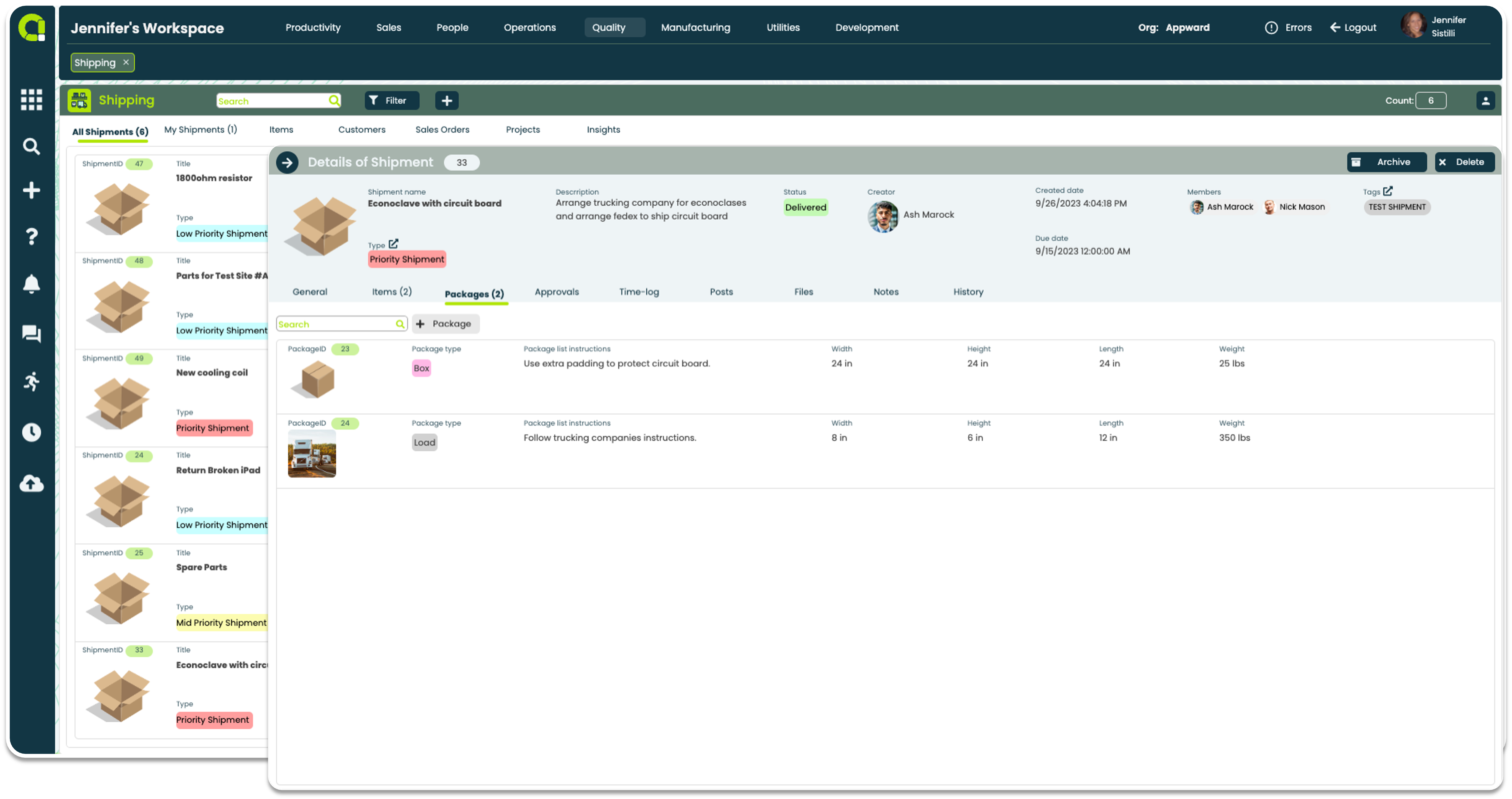
- Specify packaging details and dimensions effectively
Shipping App Features
- Search shipments by items, customers, sales orders, or projects.
- Access item details, including adding, pulling, and packaging dates
- View shipments linked to specific companies
- Identify shipments associated with Sales Orders or Projects
- Easily see what stage a shipment is in with a visual status bar
- Know who is requesting a shipment and if there are any special shipping instructions
- Mark due dates, ship dates and delivered dates
- See who and where the shipment is going to, complete with recipient contact information
- Assign a trucking company and input driver information for oversize shipments
- Associate a Project or Sales order record to each shipment
- Input a tracking number from any of the major carriers, like FedEx, to pull in tracking information to a shipment record using our built in APIs
- Track shipment delivery updates within the same window
- Conveniently add items to a shipment directly from the Parts app
- Select items to be shipped from what has been already prepped for shipping
- Select items to be pulled and packaged
- Indicated what type of packages will be used for a shipment
- Input package instructions specific to how to pack each item
- Note the dimensions of each package and it’s weight
- Set up a multi-staged approval process with multiple members or just add a one-step approval to review shipments
- Label each stage of your approval process and assign who you would like to approve within that part of your process
- Set a deadline date for each approver so they are aware of when they need to approve
- Add approvers as members for full visibility into all comments, feedback, posts and key information of a change request to make well-informed decisions
- Send notifications and reminders to each approver, letting them know they are part of the approval process or to submit their responses
- Discuss shipping details and get input from others in your organization in a dedicated forum
- Add @mentions to message others in your organization using Notification link in the Appward sidebar
- Like a post to acknowledge and notify the author
- Attach documents, images, media and AppShare links connecting to any record in Appward
- Collect shipping metrics to identify patterns, recurring shipments, or bottlenecks in your shipping process
- Analyze data to proactively address challenges, streamline processes, and promote continuous improvement
- View insights derived from shipments to understand the status and delivery of various shipments
- Collect insights on time spent and deliveries made to improve efficiency
Related apps
Shipping works seamlessly with Appward apps and services so you can do much more.